Main Take Aways From Class #2

The first main takeaway from class #2 that I would like to discuss is the website Understood.  This website gave a stimulation fo what is like for children with certain difficulties such as reading, writing, and behavior issues. You pick a grade level and an issue and then a child will give an example of what it is like to have that issue from their perspective.   Then you get to experience through an activity (the stimulation) what is like to be someone with that issue. After the stimulation, a professional will give you suggestions on how to help that child o that certain issue. I picked a kindergarten-aged student with writing difficulties. I found listening to the child explain what it was like the most interesting and heartbreaking.  Children generally don’t express their thoughts and feelings that much in Kindergarten because it is such a new concept for them. So it really affected me to hear what someone with writing issues may feel like. 
Image of understood.org logo


The second take away from class #2 is all the accessibility features that I learned about on an iPhone or Ipad.  I did not realize that there were so many features that could be used.  Most schools have iPads to be used, however, from my own experience, I do not feel that most personnel at schools are aware of all the accessibility features they have at their fingertips every day. It is definitely something I will be bringing back to my colleagues. 
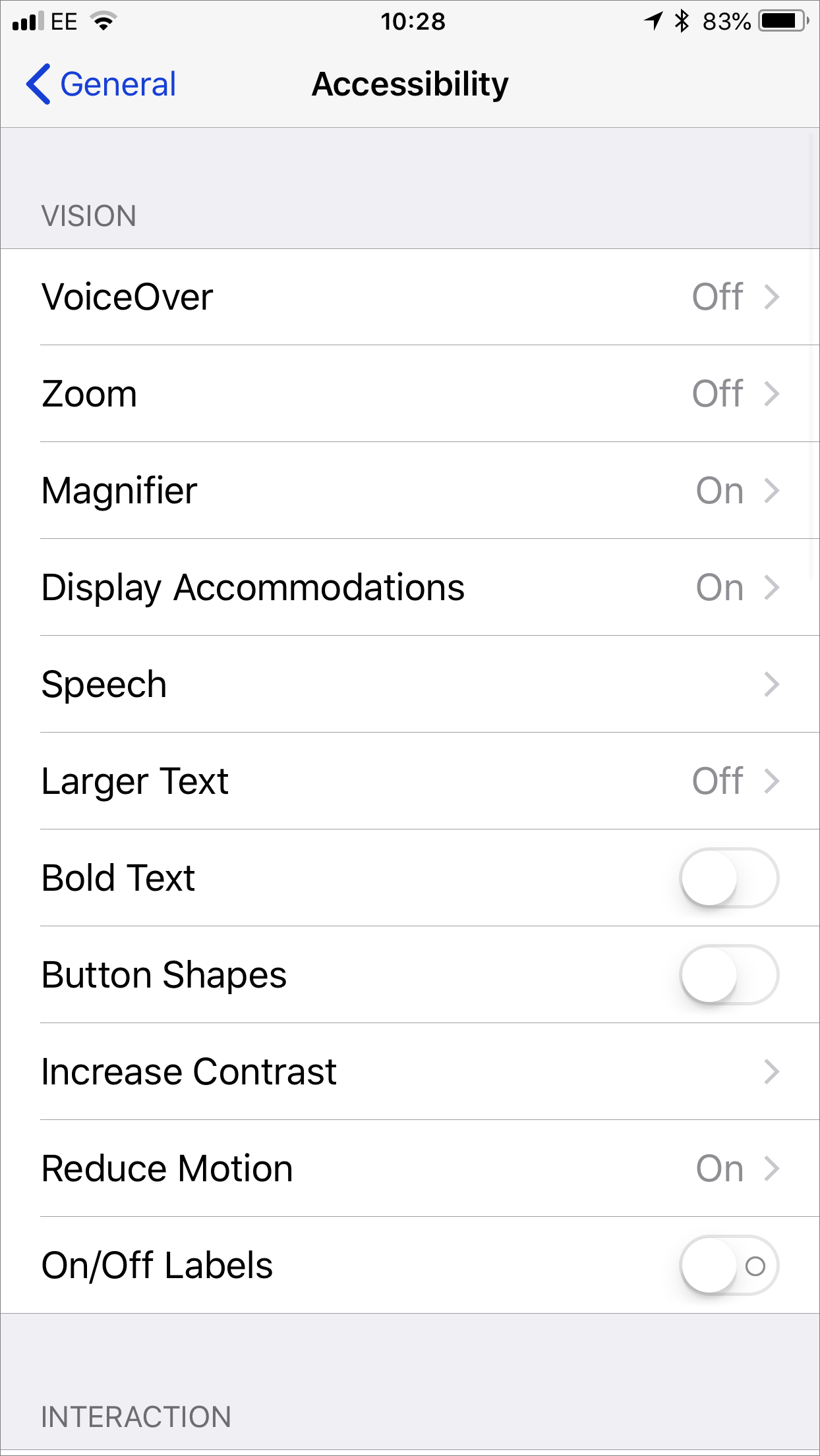
Image of the accessibility features found on an iPhone

The third takeaway is all the apps and websites that Barbara showed us.  They were all good and new to me. Some were for older students but there was a lot that I would be able to use in my classroom.  One thing that I loved about the apps and websites that I learned about during class #3, was that they would benefit all students. 
An image of the logo for Montessori Crosswords app


Critique of Take the Pencil out of the Process


“Fair is not giving everyone the same thing, fair is giving people what they need.” 

The article titled Take the Pencil Out of the Process written by Leslie Broun discusses the difficulties that children that have been diagnosed with ASD may face when it comes to written output, especially with printing and writing. It goes on to discuss that it is not unusual to go into a classroom and see students who struggle to produce legible print. Broun states that many children have difficulties with the physical printing and writing process.  The article goes into detail about the concerns of motor impairment with children who have autism.  Some of these concerns include hypotonia and apraxia. Although motor dysfunction is not required for a diagnosis but is considered a “soft” sign by many researchers.  According to Broun, studies have shown that for a student with ASD, difficulties with handwriting can underscore all areas of academic participation and that early substitution of the keyboard for students experiencing difficulty will help with graphomotor skills. Broun’s article continued to discuss the importance of the use of computers in the classroom, not just for students with ASD  as a UDL tool; the implications for using a keyboard for nonverbal students and strategies for using a keyboard. 

A quote saying For people without disabilities, technology makes things easier.  For people with disabilities, technology makes things possible.

I really connected with the article because it was a conversation that I had had with several colleagues in the last several years.  My first experience with handwriting difficulties and a child diagnosed with ASD was when I taught in a Kindergarten classroom last year.  The little boy would have major meltdowns when it came to printing on paper with any type of writing utensil.  I had many conversations with his mom, IRTS and the guidance counselor to try to come up with a solution.  The guidance counselor had told me that she had also experienced this in other children diagnosed with ASD but did not have a reason for it. We had discussed using technology but being in a small school with little resources, it was hard to come up with an actual plan on how to implement it. This article answered so many questions and supports a lot of the observations that I have relating to the correlation between ASD and handwriting.  I will definitely be using the information provided by Broun to implement various technology in my classroom and not be so concerned with the fact that children have to learn to write with a pencil and paper.  Her suggestions were very straight forward and put me at ease in implementing a keyboard in the class.


I found the TedTalk The Myth of Average very interesting. Here are my 3 main takeaways:

  • It really got my attention when he started off talking about the planes and the seats.  This was the analogy that I needed to really put the UDL concept into perspective for me. I was having a hard time understanding what it meant and how I could apply it to my Kindergarten class.  It really made me think about how I teach to the “average” child and that it is not suiting them. 
  • The second thing that I took away from this video is how I started to think about how everyday things are related to “the edges”. For example, the seating for a pilot and an iPhone. 
  • The third takeaway was when he said “The question isn’t do you want the technology?...The question is what do you want it to be?” 

I found this video very informative and eye-opening. I will definitely be sharing this video with my work colleagues. 

3 Main takeways from class #1

The main thing that I took away from this class was when it was said that supports should not for individuals but should be accessible to all learners. For example, alternative reading materials.  This really stuck in my mind because I think that it put into perspective the whole idea around UDL.  I was finding the concept of UDL a little difficult to understand but that statement made it so much clearer to me. 

Another concept I took away from the first class was the SETT framework.  The idea that really caught my attention about the framework is that the student’s supports are based on the changes happening. For example,  if the environment changes then the technology may need to change. Everything changes and it all depends on the other factors involved. 

The third takeaway was Tyler.  He is such an inspiration. I really enjoyed the video call we got to have with him after hearing his story

Making Secondary Literacy Accessible for All - Reflection


Literacy For All (@LiteracyGeorgia) | TwitterThe article Making Secondary Literacy Accessible for All written by Christy Palmquist and Heather Prenevost discusses various tools and strategies that are effective for a wide range of learners.  The tools and strategies talked about in the article include visualizing and verbalizing, thinking reading, vocabulary, and comprehension and retelling.  They begin the article by explaining the pillars of reading, phonemic awareness, phonics, fluency, vocabulary, and comprehension; and how each of these are used to assess student’s literacy skills. They emphasize that after assessing the students’ literacy and language skills, then consideration needs to be given to the supports needed for each individual student to achieve their goals. 

There were several main takeaways that I got from this article.  I really liked that they started off with the questions “ How do I meet all of their needs?”, “What curriculum can I use for such a wide variety of kids?”. These are questions that teachers ask themselves multiple times throughout every day. It got my attention because these are questions I that can relate to and made me curious to see if they had any answers to those questions in the article.

I found the paragraph where they discussed Elizabeth Keefe’s book Effective Literacy for Learners with Complex Support Needs to be very thought-provoking.  I agree with the statement that it is important to “...develop plans for providing the correct technology tools helps maximize the learning opportunities for each student.”  However,  I have to bring up the point that Keefe did say it takes time to develop these plans but where are we, as teachers with an already heavy workload, getting the time to develop these plans? It goes back to the amount of support and time we are allotted for prepping.   

I found Palmquist and Prenevost’s article to be very well written and gave support to the fact that the needs of students and the use of technology varies with each individual student and teachers need to be cognizant of the appropriate learning tools or each student.